A watchdog for impossible readings
Every battery reading is compared with the previous one. A jump from 0% to 50% in ten seconds is a sensor glitch, not physics, so it is logged quietly and summarised once a day instead of triggering anything.
My setup
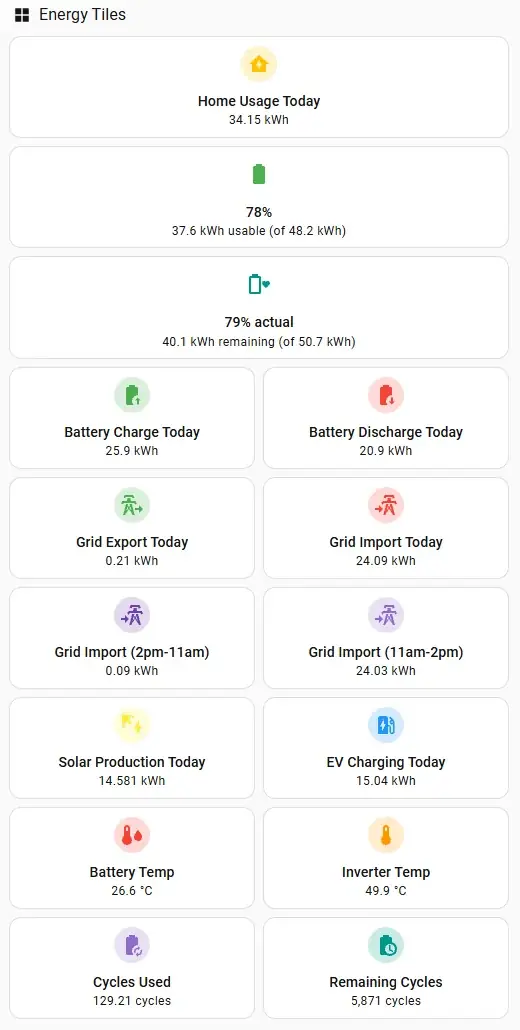
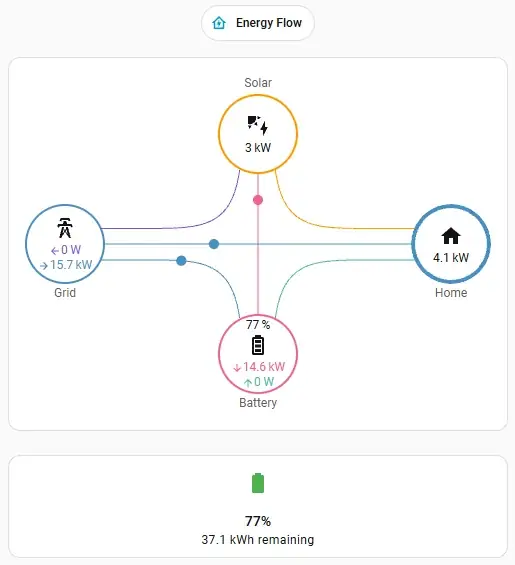
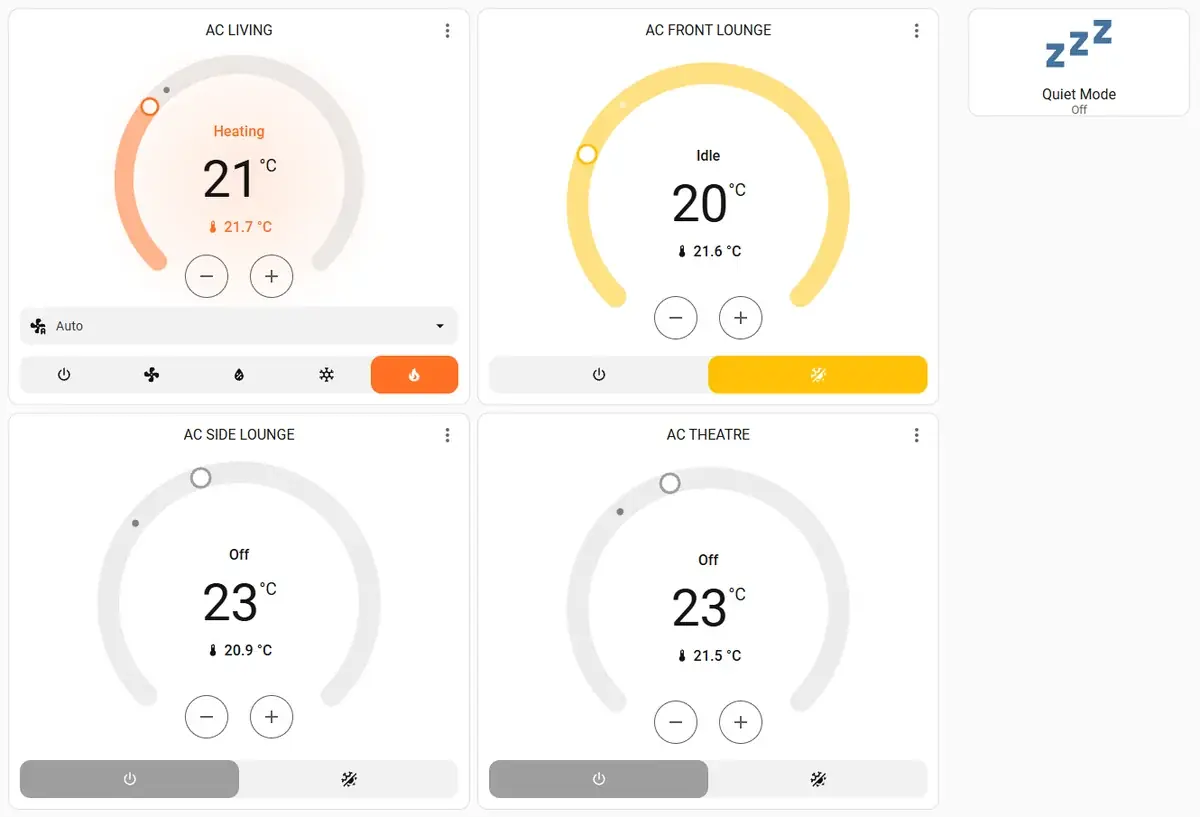
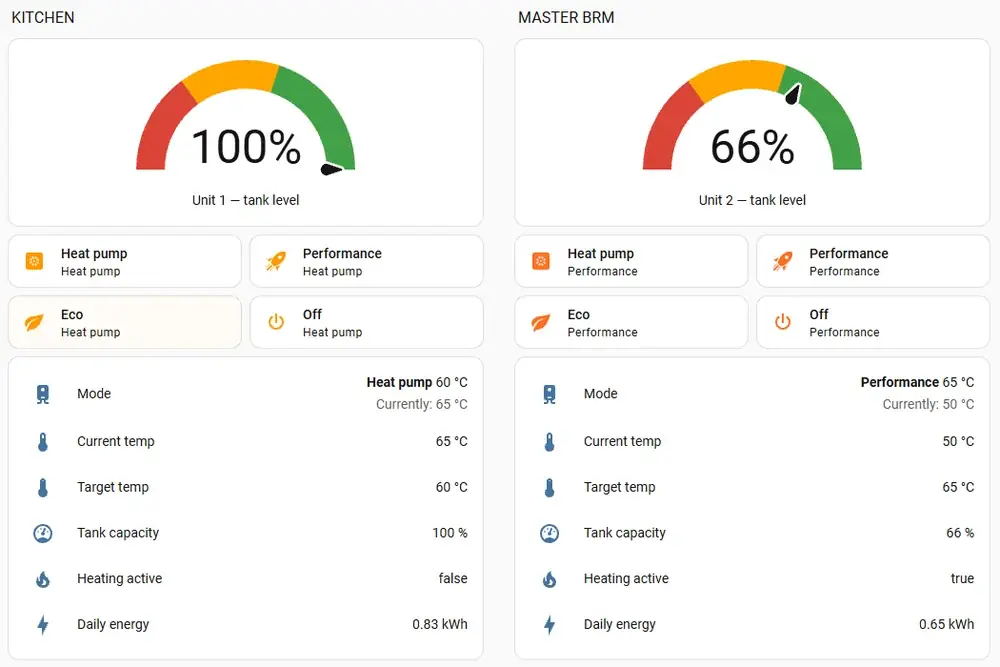
Before offering guidance to anyone else, I automated my own family home in Australia: rooftop solar, a 48 kWh home battery, an electric car, eight air-conditioning zones, two heat-pump hot water units and a handful of connected appliances. These are real screenshots and real automations from that home. Private details are deliberately left out.
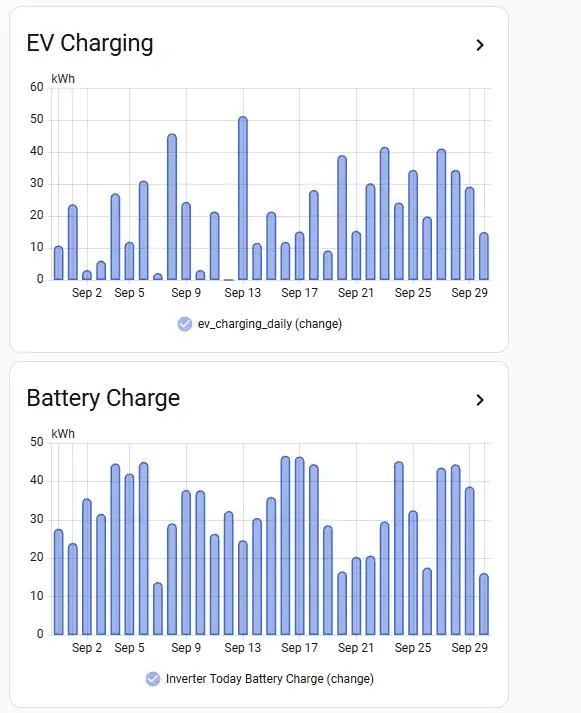
Rounded figures from my own Home Assistant system, September 2026.
Energy · the free-power window
Our electricity plan has a free three-hour window in the middle of the day, so the house moves its biggest loads into it automatically:
Why it works: each machine checks that it is actually ready before starting, and a simple “dishwasher loaded” toggle keeps a person in charge.
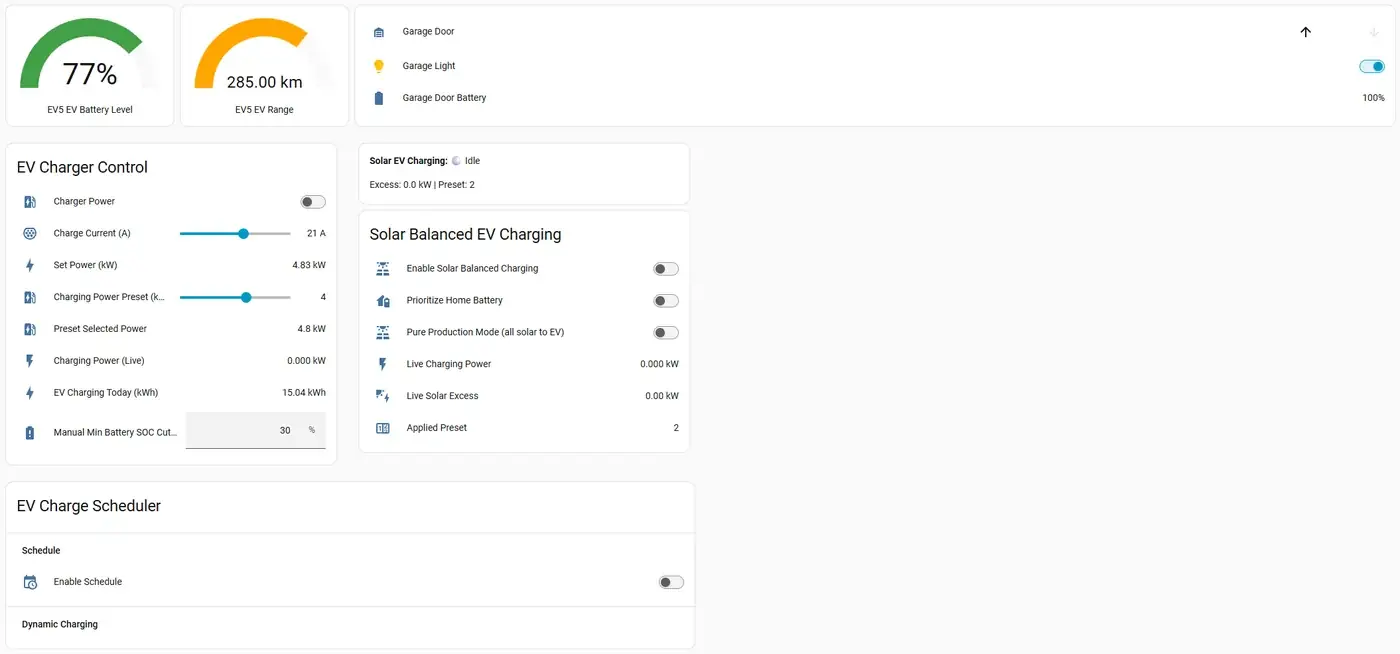
Energy · solar-balanced EV charging
Outside the free window, charging current steps up and down to follow measured solar surplus. Three safety automations sit behind it:
Lesson learned: the plug-in check used the car maker’s cloud service, which went stale during an outage. It now reads the charger’s own local sensor instead.
Small automations, big difference
None of these are flashy. They are the reason the flashy ones can be left running.
Every battery reading is compared with the previous one. A jump from 0% to 50% in ten seconds is a sensor glitch, not physics, so it is logged quietly and summarised once a day instead of triggering anything.
Fifteen seconds after a scheduled light or switch command, the system checks it actually happened. If a cloud service dropped it, it retries once, then alerts me if the retry fails too.
If Home Assistant restarts in the middle of a battery charge or discharge window, recovery automations put the battery back into the right mode instead of leaving it in limbo.
When the house exports more than 800 W of solar for half a minute, a light on the kitchen island turns on. It is a good moment to run something, and nobody needs to open an app to know.
The exhaust fan runs when humidity passes 60% or temperature passes 28 °C, and stops when both return to normal. A 90-minute cap covers a stuck sensor.
The door opens for our cars on arrival and closes on departure, the light follows it, and a midnight check turns the light off if anything was missed. The door’s own remotes and safety sensors stay in charge.
Comfort and hot water
Wall controllers and manufacturer apps still work. Home Assistant simply puts them side by side.
Architecture
Home Assistant runs in a container on a low-power home server, alongside a few other self-hosted services. Nothing on the internet talks to it directly.
Lessons learned
Your home is different
Most households need five good automations, not eighty. Guidance helps you find the ones worth doing first.
Ask for guidance